









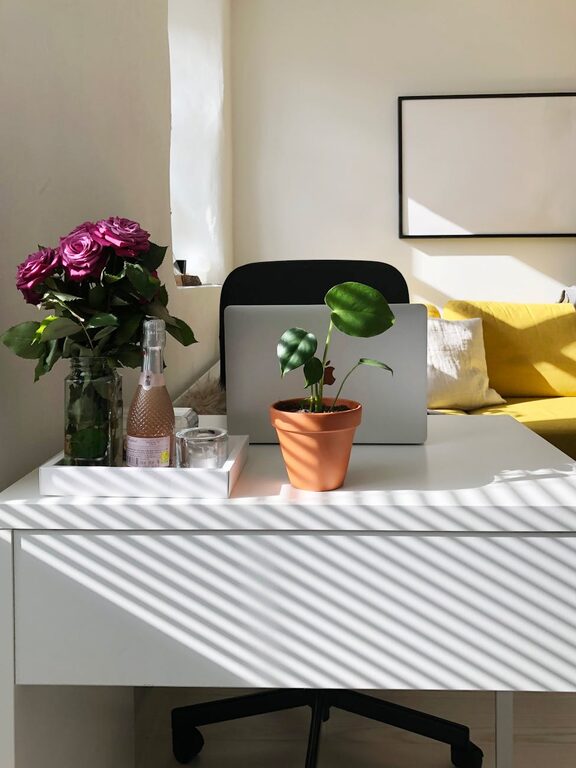
Creating a home office that encourages both comfort and productivity can significantly improve your work-from-home experience. Whether you’re setting up a new space or revamping your current setup, combining cozy elements with smart functionality is key. Here’s a comprehensive guide to help you design a workspace that feels inviting while supporting your best work.
Choose the Right Location
The first step in setting up a home office is selecting the ideal spot. If possible, pick a quiet area with minimal distractions. A corner of a living room, a spare bedroom, or even a section of your kitchen can work, as long as it allows you to focus.
Consider Natural Light
Natural light can enhance your mood and energy levels, so try to place your desk near a window. If that’s not possible, invest in good-quality artificial lighting that mimics daylight. Avoid harsh overhead lights; instead, use desk lamps or floor lamps to create a warm ambiance.
Invest in Comfortable and Functional Furniture
Since you’ll be spending several hours at your desk, comfort is vital.
– Ergonomic Chair: Choose a chair that supports your back and encourages good posture.
– Appropriate Desk Height: Ensure your desk matches your chair height to avoid strain.
– Adequate Desk Space: A spacious surface allows you to organize your tools and documents easily.
Consider adjustable furniture if your work varies between sitting and standing.
Organize with Purpose
Clutter can distract and reduce productivity. Having a system to keep your workspace tidy helps maintain focus.
Use Storage Solutions
– Shelves and Cabinets: Store books, files, and supplies neatly.
– Drawer Organizers: Keep small items like pens and paper clips in order.
– Cable Management: Use clips or sleeves to prevent tangled cords.
Labeling boxes and folders can save time searching for important documents.
Personalize Your Space
A cozy office reflects your personality and makes the space more inviting.
– Add Plants: Indoor plants improve air quality and add a touch of nature.
– Choose Inspiring Decor: Artwork, photos, or motivational quotes help maintain positivity.
– Use Soft Textiles: Cushions, rugs, or curtains add warmth and comfort.
Be mindful not to overcrowd your desk with decorations to keep focus clear.
Pay Attention to Technology
Make sure your technology supports your work seamlessly.
– Reliable Internet Connection: Essential for video calls and online tasks.
– Ergonomic Accessories: Consider keyboards, mice, or monitors that reduce hand and eye strain.
– Adequate Power Outlets: Position power strips where they are accessible but not in the way.
Keeping your tech organized will help avoid distractions caused by faulty equipment.
Create Boundaries Between Work and Relaxation
Working from home can blur the line between work and personal time, so establishing clear boundaries is important.
– Set a Work Schedule: Stick to specific hours to maintain work-life balance.
– Designate the Space for Work Only: Avoid using your office for leisure activities.
– Signal the Start and End of the Day: Opening or closing your office door or using a timer can help.
Take Breaks and Move Around
A cozy office encourages you to stay comfortable but don’t forget to take regular breaks.
– Stretch or Walk Around: Helps reduce stiffness and improves circulation.
– Use a Timer: Methods like the Pomodoro technique can encourage consistent breaks.
– Stay Hydrated and Snack Wisely: Keep water and healthy snacks nearby.
Incorporating movement into your routine helps maintain energy and focus.
Control Noise Levels
Background noise can be distracting depending on your work type.
– Noise-Canceling Headphones: Great for blocking out unwanted sounds.
– Soft Background Music: Some find music or white noise helpful for concentration.
– Soundproofing Elements: Rugs, curtains, or wall panels can reduce echo and external noise.
Choose what works best for your workflow and comfort.
Final Thoughts
Creating a cozy and productive home office is about balancing comfort with efficiency. By selecting the right location, investing in quality furniture, keeping organized, personalizing your space, and managing technology and boundaries, you can design a workspace that supports your best work and well-being. Remember, the key is to build a space that feels inviting while encouraging focus, so you can thrive in your remote working environment.